FLT
Roster Gantt
Drag a trip onto another crew line to reassign it, or onto someone who already holds one to swap the two. Both directions are legality-checked before anything is written.
Flight ops · Crew rostering · FTL
RosterX is flight-ops planning and crew rostering in two apps: a planner the ops room lives in, and a portal where crew see their roster the moment it changes.
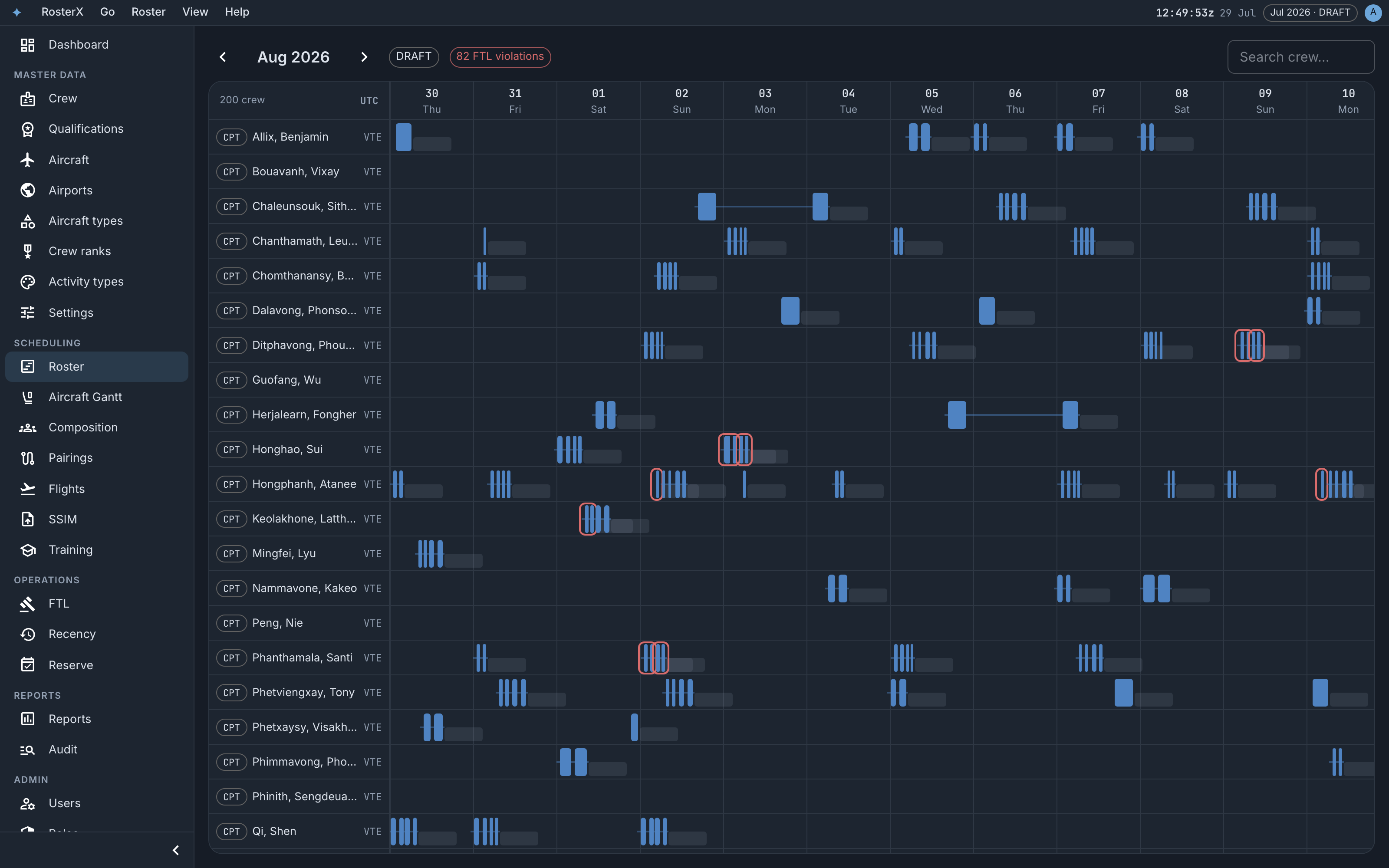
Every screen shares the same timeline and the same rules. Green always means published and legal; red always means a conflict.
FLT
Drag a trip onto another crew line to reassign it, or onto someone who already holds one to swap the two. Both directions are legality-checked before anything is written.
TAIL
One line per tail, flights on the same clock as the roster. Drag legs onto tails, multi-select with ⌘-click, or let Auto-assign run a solver over the visible window.
FTL
Duty and rest rules are checked on every write. Overriding a conflict takes a written reason, recorded in the override log with who, when, and which rules.
PRG
Generate pairings from the schedule, then let the auto-rosterer fill the month. Preview every change with a dry run before you commit it.
SSIM
Load the season straight from SSIM. Flight status is derived from OOOI times — scheduled, departed, airborne, landed, arrived — and cancellations keep their reasons.
OPS
Live updates, a UTC clock in the bar, and state that lives in the URL — the roster view you are looking at is a link you can send. Your layout follows your login to any machine.
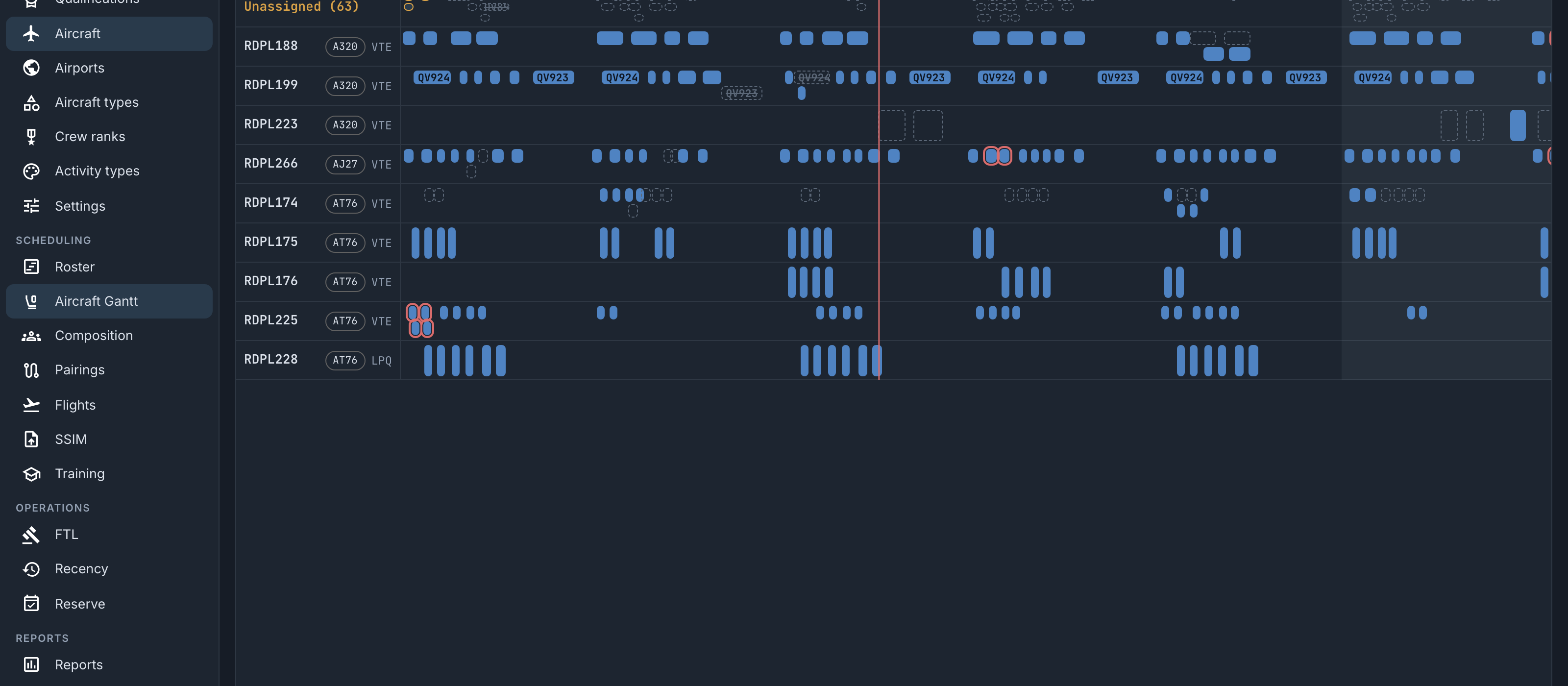
Aircraft Gantt
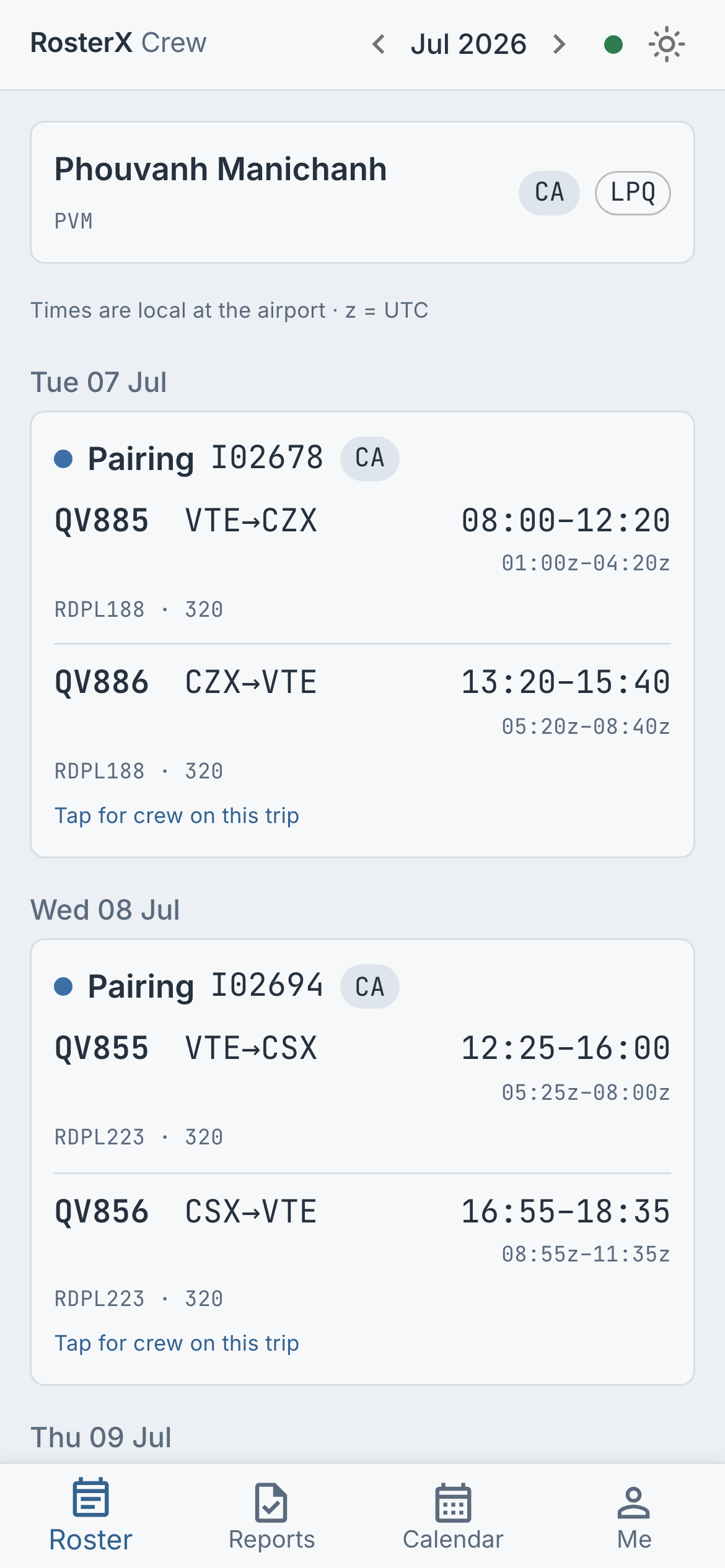
Crew portal